Tuesday, November 21, 2023

Roman Clothing & Paper Dolls

Throughout our main Latin topics where we build vocabulary, learn grammar, and read Latin texts, I frequently bring in different mythological and history topics to help students get a better understanding of the Ancient Romans. Aside from taking notes, I also try to build in something more interactive where students get to interact with the history/culture so it feels more relevant to them. 

One of the recent historical topics we've done is Roman Clothing (you can find my presentation on my TpT account). While we've occasionally done toga parties where we dress up in Roman clothing, recently I started using these paper dolls with students.


Students decorate a femina and vir using the cutouts. While I loved paper dolls as a kid and these drawings are absolutely fantastic, I made a digital version of this activity to avoid cutting out all the pieces. Students can click/drag the items they need onto the people, then I print out a copy that they can decorate. 

And then we tie in Latin! Students write Latin sentences that describe their people. I use this with my 8th grade Latin 1 students, so our sentences stick to present tense, third person, and we use Nominative & Accusative cases. I also give a lot of help with the word order/structures - you'd be able to adjust as needed for your students.
If you're interested in doing these activities with your students, click here for a copy of the digital paper dolls with directions and click here for a copy of the sentence worksheet I give students. 


How do you try to incorporate Roman history into your Latin classes? Do you also tie in Latin writing?

- Magistra Leonard

Saturday, October 14, 2023

Cultural Maker Spaces

I was planning out some blog posts on a couple end of year units I do with my seventh graders. They're awesome units (imho) that the students really enjoy and that I look forward to all year... but as I started writing those blog entries for our Cultural Maker Spaces program, I realized... I never explained what this unique program is that we run in our Middle School Exploratory program.


I actually presented this program at the 2023 Fall MFLA conference - you can view the presentation here. It links some activities we do in our German, Latin, and Spanish Maker Space units :)

What is Cultural Maker Spaces? 

Think of Maker Spaces that you've seen in your school or district: a place for students to collaborate, to build things, to explore and investigate real world problems. That's what we do, but with a focus on tying in language and culture. Students are given an issue that relates heavily to the target culture, learn more about that topic along with new vocabulary, and then at the end they show their knowledge by designing and creating... something. That something depends on the specific project we do.

What are the units?

We have time for two projects!

All three languages do one identical project: water. We each take a different spin on it - for French, they look at access to water in French-speaking African countries, for Spanish they look at Mexico City and how it's sinking, for German it's about Umweltschutz - but we all look at water usage and conservation. We explore our own water consumption and access, making comparisons to the people in the TL culture. At the end, we investigate household and natural items that could be used to filter water collected from rivers, lakes, etc. Students 

For our second project, we all do something different that's focused more on that language. I can't speak to what the French or Spanish classes do, but I do something crazy - I do a Latin project :) It helps expose the students to another language during their exploratory year, 

How are the units structured? 

Phase One: General Intro. We learn vocabulary and do a general look at the culture. For example, in the water unit we learn about bodies of water in German-speaking countries and start our vocab list. anchoring it within a familiar framework"

Phase Two: The Issue. We look into the cultural/historical aspects for the specific issue the project is based around. For Latin, we look at the Roman Military. contextualizing the unit

Phase Three: Construction. Students learn specifics about the final project. We incorporate necessary STEAM skills (sometimes this is engineering principals, math knowledge, etc).

Why do we do Maker Spaces?

I currently work at a district that runs an Exploratory Language program in 7th grade. Students rotate through three languages - currently French, Spanish, and Latin - so they can get a taste for the language and culture before deciding which language they would like to continue in 8th grade. It's a great program for a lot of reasons I won't get into, but we were having an issue a few years ago. 

Three rotations means dividing the year into three, which is messy for a school year already divided into quarters. Because of the timing, students would typically only get to sample two of the three languages before deciding on their schedules for the next year. That meant that third language, whichever it was, never got a fair chance. Students were unengaged when they arrived at that third language because they'd already picked something else. They were mentally checked out, at a time of year that's already challenging to keep seventh graders focused. 

So the World Language Department came up with a plan: we would do four rotations to align with the four quarters. The first three rotations would be their usual Exploratory program - intro to each of the three languages - but in the fourth one, we would do Maker Spaces. This way students would still get to sample all three languages (with the added benefit of doing so BEFORE scheduling), and then during that end of the year stage where students get squirrely, we'd have fun, engaging projects to dive deeper into language and culture. And voila! Cultural Maker Spaces was born :)

Thursday, January 6, 2022

Gap Speaking Activities

One of my favorite activities to do with students early in a unit are Gap Speaking Activities. There are a lot of ways to do Gap exercises - exercises where students are missing a piece of information and have to communicate with a partner to fill in those gaps - but I like to throw in some visuals when we do these. This gives students the information they need to help their partner without giving them the specific language/words - instead of blindly reading out what their paper says, potentially without knowing what it means, they have to process the information in the TL first before they can convey it. I always have the listener completing a task as well, so there's accountability and a specific goal to focus on as they work.

Set-Up: 

  1. Divide students into pairs. One partner faces the front of the room where the board is, the other faces the back of the room. The student facing the front of the room will be answering questions based on what they see on the board; the student facing the back will ask questions and complete their worksheet based on what their partner says. 

  2. Once students are set up, display the information on the board and let students work through the activity. Walk around to assist with vocab/language structures and to monitor how much time students need. Don't wait until all groups are done, wait until most have finished.

  3. Let students turn around to view the material on the board. Groups that didn't finish can quickly get the material they need. Groups that did finish can discuss other ways to express the information on the board.

  4. Students switch seats. Students now complete the same activity but with different information on the board, letting them practice both roles.

It can take a little time to explain the setup to students the first time, but as they do more of these throughout the year, they fall into the rhythm easily. These activities are quick ways to work in some speaking/listening practice on a variety of topics, and depending on how structured your worksheets for students are, it's a good scaffolding technique to build practice with basic sentence structure.

Example Topics/Activities: 

  • Verbs/Hobbies: There are pictures of different hobbies on the board. Students ask what each person is doing and their partner answers based on what they see. Students record the information by writing in complete sentences, practicing basic word order.


  • Faces/Physical Descriptions: There are pictures of faces on the board that students describe to their partner (eye color, hair color/length, big/small nose, scars, tattoos, etc). Their partners draw the faces based on the descriptions.

  • Clothes: There are pictures of different outfits on the board. Students ask what each person is wearing and draw the outfit based on the description (which articles of clothing, colors and patterns).


  • Cities/Giving Directions: Both students have a copy of a map. The student facing the board can see a path leading to a specific spot in town, and they give directions to their partner to help them reach that spot. The partner who's listening can trace the path along their copy of the map.

What type of Gap Activities do you do with your students? How do you think you could incorporate more visuals into your speaking activities?

- Frau Leonard


Tuesday, November 10, 2020

The Euro System

The Euro System is something I got from another German teacher in the Pittsburgh area. It's a system to encourage participation and student engagement, and here's my spin on it!

The gist of it: Students earn Euros throughout the school year. Each month they have a certain amount they have to collect and turn in. They can also save up extra Euros and use those for bonus points, homework passes, or bathroom passes. 

How they earn Euros: Volunteering in class, winning games like Gimkit or Kahoot, completing additional culturally themed assignments, working on Duolingo assignments, etc. I give activities like Cultural Themed Drills, give Wizer Me's that take a cultural topic we briefly touch on in class and allow them to investigate it deeper, extra language drills for the grammar focused kiddos, attending community events like Oktoberfest at a local restaurant, or maybe have them post German-related memes they've created to their social media. 

Why I do it: It helps hold students accountable for their learning. They're more engaged with participation, with seeking out the language and culture outside of what we do in class. All of these activities are otherwise optional, but the Euros help encourage students to become engaged and pursue their interests outside of class (or to participate in class).

How many Euros: This fluctuates from month to month. I start them at €35 in September when we start school and slowly increase it each month. By the time we hit may, it's up to €60 (and then back down to €20 in June). The amounts you collect might change because of snow days or because of the dynamics of your class. I know the teacher I got the idea from had her students earning somewhere near €75 by the end of the year, but I found that quota too high for the groups I work with. 


What do they look like: I printed a bunch of colorful Euros. I didn't do a good job matching them with the actual colors of Euros - it was more what colors I had handy when I made them. I started with a whole bunch of €5 notes that I used when I started, which was perfect for that particular class, but then the next year I had to create the larger notes because I had some students who went above and beyond and wanted to trade in for larger bills.


How can I start: Here are some links to some of the resources I use for myself and students...

How do you motivate students to participate in class? How do you get them motivated to engage with the language and culture outside of school?

- Frau Leonard


Friday, October 30, 2020

Themed Cultural Drills

For our level 1 students, my department does daily drills that each focus on a different theme. This is something they started doing last year and I loved the chance it gives me to tie in things that we normally wouldn't get to address because of time constraints. We get a quick look at cultural topics like food and music that can spark student interest so they can investigate further on their own. 

My themes are: 

  • Musik Montag: Students listen to a German song and look at the lyrics
  • Denkmal Dienstag: Students learn about a monument or building in a German-speaking country
  • Mensch Mittwoch: Students learn about a famous German-speaker
  • Kunst Donnerstag: Students look at a famous painting
  • Essen Freitag (Food Friday): Students learn about a German dish and look at the recipe 

Each day has specific questions related to that topic, as well as links and resources for students to investigate on their own. 


The questions and resources are in English. These are my Level 1 students and I want this to encourage them to investigate the culture vs find the language as a barrier to their interests. My hope is that it will get students engaged based on their own interests and that will get them engaged with the language. I've always noticed that students who have a personal interest in a city, the history, the food are more likely to continue on with the language - they have that travel bug growing inside them that will motivate them :)

I have these as an optional activity for students, something they can do for Euros (I don't think I've written a post about the Euro System I use for participation yet - I'll have to do that next!). This gives students even more freedom to pursue the topics they like while giving them just enough of a nudge to do it. I find some students do all five every week because they want the Euros, and I have others who will only do their preferred topic of music, food, or whatever they like best. 

If you're interested in learning more, click here for a copy of the first week I did (and of course check out Slidesmania for the template I used to create these!) - you'll be able to see my questions and use this as a template if you'd like to use or modify the idea! 

How do you bring culture into the classroom? Do you feel that you do it enough?

- Frau Leonard


Friday, May 8, 2020

Cultural Maker Spaces: Medien in Deutschland

This year our department got the opportunity to revise our 7th Grade Flex curriculum. Instead of doing three 12 week rotations, we transitioned to four 9 week rotations. That means every students gets all three languages. (French, German, Spanish)... BUT we still had 9 weeks leftover at the end of the year to fill.

We decided to create three projects per language on the theme of Cultural Maker Spaces, one of them focusing on Media so that we could use our school's green screen and video/audio gear. While that didn't exactly pan out, we were still able to implement the project via distance learning and have students create some awesome projects while expanding their German vocab and cultural awareness.

Part One: Media Investigation
We started the project with a general look at media in German-speaking countries. I collected different examples of media - weather forecasts, news reports, gameshows, cooking shows, interviews, etc - for students to investigate. Here's the Padlet of the resources I collected for students!

They completed a Media Investigation Sheet to show what types of media they chose to look at, any major differences/similarities between German and American media, and they selected the topic they planned on pursuing for the rest of the project.

Part Two: Choice Board & Planning
Students now considered different media-related topics and decided which one they officially wanted to do for their project. They received a choice board with a variety of examples and decided on one that worked best for them.

Based on student confusion and questions that came up during our distance learning, I've added an additional part of this phase that I'll include next year. They'll at this point decide on their group members (3-5), their topic, AND what they think their final product might look like. I created this simple planning guide to help them make some of these decisions now so they could focus on that while moving forward.

(If you like this template, please check it out at SlidesMania and take a look at their other templates - they're really awesome and a great way to visually improve any activity!)

Part Three: Vocab Planning
We invested a lot of time in this next phase of the project. They know their topic and what they plan to create, and now they have to build their vocabulary to get them there. I had them brainstorm 15 new German words related to their topic that they thought would be useful. I also recommended they break those 15 words down into 5 nouns, 5 verbs, and 5 adjectives to make sure they'd have the right building blocks to create complete sentences and the type of descriptive details they'd need.

I also tried out a Jamboard to have students work together and help other classes brainstorm vocabulary for the same project topic. Unfortunately we had some issues with the actual Jamboard (we couldn't get the access working for students to add comments), so I had to the same idea but with Google Slides.

Here's a blank copy of the Slide Show. Each topic had its own slide and I tried to post some some images, links, and/or vocabulary phrases to help get them started. Students could post comments with additional resources and vocabulary they found to help support their classmates.

Part Four: Sentence Building
In previous units, we had worked on vocabulary but not a whole lot on the sentence building aspect. They had new words but what were they going to do with them? How were they going to tie it all together?

We did a NearPod lesson where we talked about creating basic sentences - the word order we'd use, the parts of speech we'd need (in direct relation to our vocab planner!), the verb endings, etc - and then practiced with familiar vocabulary. I did NOT do this (though I wish I had!) this time, but I also put in an activity where students write their 15 words on slips of paper and arrange those papers into sentences. This gives them a good visual on how to put things together, to double check that they're using all their words, and blank slips of paper give them the flexibility to add new words they discover they need!

Part Five: Project Time!
Students now had the tools they needed to create projects on their own or in groups. Because we were doing this via distance learning, I had check-ins every other day where students updated me on their progress and asked questions as needed. You can see some examples of student work on this Padlet!

When students submitted their final project, they also had to rate themselves in this rubric. They rated themselves in the Self-Evaluation portion and then I viewed their products and graded them in the Teacher Evaluation. Our scores combined to give them their final grade.

If we were in school doing this as a group project, there would have been a teamwork component to their grade or a separate rubric where they rated their team members. Since 95% of my students did NOT work with a partner, I didn't develop that rubric/rating sheet.

Step Six: Reflection
Their last piece was a Reflection where they considered what they learned and how they did with the project, as well as offering suggestions to me on how to improve it for future classes.

I wish I incorporated more reflection after projects and assessments in general, so it was a top priority to include it for this one! We've spent about four weeks working through the various steps, and it seems a fitting transition to consider their work on this unit before moving onto our next and final one this week.

Please note: I did not create the rubric or reflections from scratch. Our department head found them earlier this school year and I've since modified them for this project. If you know where they were posted please let me know so I can link back to the original!

How do you incorporate projects and student choice into your units? How often do you use choice boards for projects?

Happy Teacher Appreciation Week! ❤️ Hope everyone's having a good end to this chaotic school year!

- Frau Leonard


Wednesday, September 25, 2019

Early Finishers Table

As is usually the case, I saw something on Twitter that I thought would be a great addition to my classroom!

I had an extra table in the back of my room that didn't get a lot of use, so I put out a bunch of German games and activities that we don't necessarily get to use in class. Any time a student finishes all of their work and there's still time in class, they can head over to play one of the games or do one of the activities.


I dug through my cabinets to find as much as I could to tempt students, including...


Uno! Complete with vocab help so they can play auf Deutsch.


Card games we sometimes use in class including: Pit, Apples to Apples (food vocab), Was memest du?, Trumpfspiel: German cities. The orange cards are a vocabulary game I got a while ago from Teacher's Discovery (on clearance, so no link).


Some authentic German games I have: German Scrabble, Black Stories, Werewolf. 


There was unfortunately some graffiti on my walls by this table which I couldn't remove, so I put up some construction paper where students can write on instead. 


German books that students can look or read through. 


I also found and printed out some German-themed coloring pages. 

Students also have access to Duolingo and Gimkit assignments if they would rather do a computer based game instead.

Do you have any activities in place for students who finish their work early? 

- Frau Leonard


Thursday, September 19, 2019

Carousel Review

One of the Spanish teachers in my building told me about this activity and it seemed like the perfect way to start out the year in German 1! I structured it as a review of the material we'd covered last year in 7th grade Flex.

Process… 
  1. Choose the topics that you want students to brainstorm. Our beginning of the year review included the topics: Germany (geography, history, culture, etc), Greetings/Farewells, Alphabet/Pronunciation, Numbers, Calendar, Cognates/False Friends/Loan Words, Survival Vocab/Polite Expressions, Holidays
  2. Write each topic at the top of a piece of paper.
  3. Split students into groups of 3-5.
  4. Make sure each group has a writing utensil. I use different color markers for each group so it's easy to identify who contributed what.
  5. Give one topic to each group. I put my papers around the room on the wall and sent each group to a different topic. They rotated around to all the stations, like a carousel.
  6. When you say "Go!" each group has 2 minutes to write as many things as they can about that topic. This could be vocab words/phrases, cultural info, facts/trivia, whatever they remember.
  7. After 2 minutes time is up, they rotate to the next topic.
  8. Groups can make additions OR corrections to what previous groups said.
  9. Repeat until all groups have gotten to all topics.
  10. Review their answers at the end as a class, making corrections and additions as necessary.


This is a good way to see what the class as a whole remembers or what they might need to work on. I was not terribly surprised to see they remembered numbers really well or that they need to review spelling, but I was shocked they remembered so little of the holiday topics we'd talked about! 

I also asked students a few follow up questions as an exit ticket...
1. What topic(s) do you remember the best from last year?
2. What topic(s) do you remember the least?

3. Was the review in class helpful? Why/why not?

Overall students said they liked the activity because it helped show them they do actually remember more than they think. A few students weren't happy about their groups when they rotated and some pointed out there were errors (like saying Poland spoke German but Switzerland didn't), which is definitely why the review at the end as a class is essential to clarify those big errors.

- Frau Leonard

Wednesday, September 4, 2019

First Day Activities: UNO spielen

I don't remember where I got this idea or where I heard the suggestion from, but I remember the idea very distinctly: Don't let the kids walk out of Day One without a chance to use the language.

Not a terribly difficult task for your upper level, returning students. For day one of level one? It's a little trickier to give them something that's practical and engaging.

The suggestion/idea I came across years ago was UNO. Most students are familiar with the game, the rules are pretty straight forward, and the language required is pretty basic. Numbers 0-9, four colors, and a few other phrases, and then students are playing and actively using the language.


This year for my Deutsch I students, I made vocabulary sheets to help them with these words (including pronunciation notes) and divided them into groups to play. They were super excited... and were absolutely aghast when I mentioned the punishment for any student I caught using English. I gave all of the student groups one of the black boxes of cards, but kept a red one for myself - they have different backings but the same shape; the punishment for speaking English was I would give them an additional card.


The different colors helped me keep track of the sets, so I could easily put my red set back together at the end of class. It also made a manageable punishment that would only really matter if it added up.

I also like this activity because I always find the pacing of the first week can be hard - you can't account for all the interruptions with assemblies, you don't know the pace of this specific class during this time slot, etc - and after they learn the routine of playing the game in German, it's an easy way to fill the last few minutes of class.

What first day activities do you do that help get your students speaking the language ASAP?

EDIT: For anyone interested, you can get my copy of the vocab list here!

- Frau Leonard

Thursday, June 6, 2019

Wizer Me vs Google Classroom

Towards the end of the year, I started using Wizer Me to make digital worksheets for students. I work in a district that is 1:1 and had been previously been using Google Classroom and Google Docs to assign similar types of assignments. I think next year I will use a mix of both, as they each have their strengths and weaknesses. Here's what I've found out so far :)


Wizer Me vs Google Docs

Wizer Me: Pros
  • Gives instant feedback to students for most question types
  • Has a variety of question types (matching, sorting, tables, multiple choice, etc)
  • Allows me to add videos into the worksheet
  • Easy to see how well students did - I can see a list of names and their scores on the worksheet, then go into individual worksheets and see a specific student's work if necessary.
  • There are questions that allow for more variation than just right/wrong - they have short answer questions and drawing questions! The drawing questions especially can be fun :) (Keep in mind, for these questions, students do not receive points until you manually go in and score it.)
  • You can leave feedback on each individual activity.
  • Looks great! They are visually very appealing.
  • There's a Wizer Me community, so you can easily share your worksheets with other teachers AND find ones that others are using!
Google Classroom: Pros
  • I can easily see who did/did not turn in the assignment
  • I get notifications via email when students turn in assignments late
  • Students can view their work, missing work, and deadlines easily and in one place
  • You can view student work even if they don't turn it in
  • I'm already using Google Classroom and the students are as well for all of their other classes - it's familiar, it's expected. Adding outside things (like Wizer Me) makes it harder for both me and students to keep track of.


Wizer Me: Cons
  • Although it looks pretty, it's not always easy to find the worksheets I want. Lots of scrolling, lots of clicking. From my limited experience, the student side is even worse, with just a list of all their assigned worksheets with no real way to organize them.
  • Connecting to your Google Classroom requires a paid account (along with other features).
  • Some of the question items are difficult to figure out how to incorporate. Tables, for example - I tried to find examples of this in their online tutorials but never could figure out how it was supposed to be used. Since then, I've tried it out and played around with it and found a way to make it work for me. To see an example, click here - the first exercise uses a table.
  • I have to manually go in and check for student responses... no big deal if students complete their work on time, but checking for late submissions can be tedious.
  • If you don't have a paid account, your worksheets are automatically made public to everyone once you assign them to teachers. Keep track of your copyrights!
Google Classroom: Cons
  • I have to load each student's assignment individually to see how they did. It's either that or assume they did the work because they turned it in.
  • No automatic feedback - to give students answer keys, I leave notes in the comments... But I find students don't go back to actually look at the comments.
  • Very limiting in the types of questions/activities. It has to be something students can type answers to, and often requires me formatting it in a way that makes it a.) easy for students to type their answers (i.e. lots of tables where on a traditional worksheet I could put a __________) and b.) obvious when students have put in an answer (so again, using tables or already setting the font to be bold, italics, a different color, etc.)
  • If I notice a typo/mistake in a file but have already posted the file to the class, too late - even if I fix the file, students will automatically have the old version unless I take the file down and attach it again. 
  • If you assign a PDF, prepare for the struggle of "It won't let me edit it" and "How do I attach a Kami file" etc.


Please do not look at this table and assume because the Wizer Me side is longer that I automatically like/dislike it more! As I said, both have their uses - it's just that since Wizer Me is newer to me and might be less familiar to readers, I have longer explanations. 

If you're on Wizer Me or are thinking about it, feel free to take a look through my worksheets. Not everything I've made is there (they will be... but it's hard to post things to your profile if haven't assigned it to students yet), but it can give you an idea of how I'm using it and what worksheets look like when they're completed.

If you use Wizer Me, how have you incorporated it into your classroom? What do your students think of it. If you haven't, do you think it's something you would consider doing?

- Frau Leonard

Wednesday, May 22, 2019

The Amazing Race!

Today my German 1 students played The Amazing Race. It's a fun review activity to wrap up the year, review for finals, and take advantage of warm weather. It's an activity I purchased a few years ago on Teachers Pay Teachers (Spanish version), so while I can't share the version I use, I'm going to talk about it and encourage you to check it out!

Basically it follows the premise of the reality show - students are competing in teams to accomplish various challenges. Accomplishing a task earns them the next task and so on until they're the first group through the "race." Each challenge reviews a specific vocabulary, culture, or grammar topic we've done this year.


Materials I need:
- Challenges printed out and ready to go (this year I color coded them for my own sanity)
- Sidewalk chalk & sidewalk space to write
- Outdoor space large enough for the whole class to spread out but small enough you can easily keep track of everyone
- Envelopes to organize each group's materials (not necessary and something I tried out this year - I included a pen and a pencil plus their first challenge, this way students didn't need to bring anything outside with them; I also asked students to put their completed challenges in the envelope so there wasn't any loose paper flying around
- Clipboard and pen

Students reviewed: verbs, the alphabet, geography, school/classroom vocab, numbers, and plural forms. Some of their challenges involved running, drawing, jumping jacks, and push ups.


All in all, I think it was a fun day :) Students got to run around outside while getting in some review, and it allowed me to see areas where the class struggled (the alphabet, geography, and plural forms were HUGE problem areas for the class as a whole, whereas they breezed through the verbs and school vocab). I found a few areas where I could make some tweaks to hopefully get a few more successful teams next year!

- Frau Leonard

Tuesday, April 16, 2019

Ostern in Deutschland

This year as I continue to adjust to my new role as a middle school language teacher, I've been taking a cue from my department members and use holidays and crafts to engage student interest. The latest installment: Ostern!

I started with a bulletin board at the beginning of the month. I included some Easter egg decorations ad well as some facts about German traditions. And of course, all the decorations are "hanging" in an Osterbaum :)


As we got closer to the holiday, I had activities for both my 8th and 7th grade classes. I only did one day worth of activities for the 7th graders on our last day before break. For 8th graders, we did two days.

Eight graders learned about Easter traditions in more detail (using the bulletin board, a Kahoot, and a Deutsche Welle article), and then decorated some Ostereier.


Students then hung up their eggs around the classroom. I did initially give them relatively free reign, but that just lead to lone eggs, which doesn't really convey the whole Osterbaum idea. I ended up moving them to two main locations and in the future I would give students one specific area. My original plan was to have a tree made out of construction paper hanging on the wall outside my room, but I'd recently hung up some student work and didn't have the room. Next year!

All classes did an Easter egg hunt on the last day before our break. I broke students into groups, each with a color assigned. I bought about $4 worth of plastic eggs from Target to use - I think I ended up with six different colors, eight eggs each. Groups took turns looking for their color eggs around the room, collecting them at their desks.


Each egg had a slip (or a couple slips) of paper inside. For 7th grade, they had spring related vocabulary words - they had to match the vocabulary with pictures; for 8th grade, they had sentence fragments that they had to put together. When a group had found all their eggs and used all their words correctly, they brought up their finished work to trade in for candy.

I color coded student papers so each group a.) knew who was in the group and b.) knew what their color was. I didn't want any issues with students not

When students were done, they helped fill the eggs for the next class. They also got to hide them for the next class, a task which they very much enjoyed! Their only guidelines: the eggs had to be in plain sight, somewhere people could see them without having to touch anything, just by walking around the room (i.e. not under things or inside cabinets). I had my last class of the day hide them for the first class a day ahead of time so no group was left out.

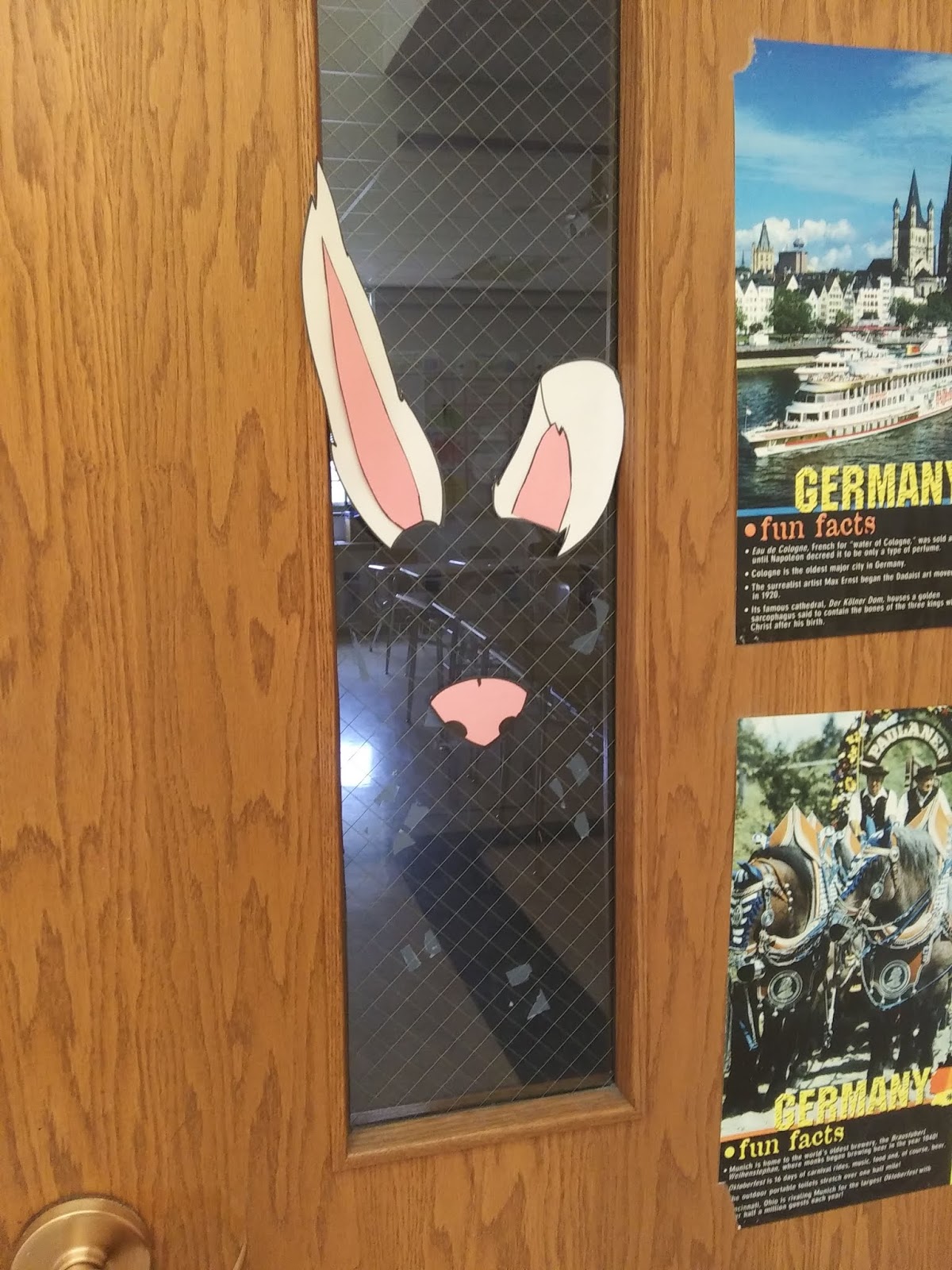
I also like to have a Selfie Station for holidays. I have a holiday-related decoration up on my door window. Students stand inside the room and look outside, then someone outside the room takes their picture - this time students would look like the Osterhase in their pictures.


Note: I will have my materials available via Teachers Pay Teachers within a few days! I know that will be too late for this year, so I wanted to post early enough that anyone with classes later this week could try to incorporate some of these activities. I should also have more pictures up soon! (I also tend to post more pictures on our class Instagram account!)

What holiday celebrations do you bring into the classroom? Do you do anything for Ostern?

- Frau Leonard


Friday, April 12, 2019

Ampel Check-In

This is actually an extension of an earlier post I did on the same topic - using this Ampel / Stop Light system to have students check in mid-unit to self-assess their understanding.

I started using a more general check-in, no specific tasks listed. Just a quick self-reflection on how they're doing with the material and a short sentence completion to identify specific things they have issues with or think are easy. It's general enough that I can reuse the same slide for multiple topics.


I used large flashcards and gave one to each student with their name already on it. On their card, they identified where they were with the topic (Modal Verbs in this case) and wrote their sentence. I had three colored envelops on the board, and they put their flashcard in whichever color applied to them.


I then went through the cards and answered the questions students had in the Red section, helped clear up things/give tips for students in the Yellow section, and did a quick read through of the Green section to make sure they seemed to be on the right track. I then gave the cards back to students the next day (shuffling them first so no one would be able to tell what color they'd initially used).


I also used a highlighter to mark where they'd put their card, just for future reference. The plan is to use this system for the rest of the year as a check-in, using the same cards until they get filled up. It opens up communication with students and lets me keep track of students mid-way through a unit. It's also a good point of conversation for students who initially said they did understand but don't perform well on assessments - did they really not understand? what are their study methods? do they have anxiety during quizzes?

So far so good, though admittedly I've only used it once so far :)

- Frau Leonard

Tuesday, April 2, 2019

Things Every Teacher Needs in Their Desk

This isn't about teaching strategies or anything like that - this is way more practical. It's the type of thing you usually learn after years of experience, but it's something everyone needs to consider whenever they get a new classroom: what do you need to keep in your desk?

Obviously there are school supplies like pens, pencils, post-its, and all that. That's a completely different thing from what I'm talking about right now. I mean things that you personally might need during the school year for surprise or emergency situations.

So in no particular order, here are things I try to keep in my desk:

  • Deodorant
  • Brush/Comb
  • Mirror
  • Change of Clothes (I have spilled coffee on myself twice this year...)
  • Cell Phone Charger
  • Box of Bandaids (I have also cut my hand open twice from paper clips this year...)
  • Non-perishable snack items (instant soup, chips, cliff bars, candy, etc)
  • Water Bottles
  • Gum/Breath mints
  • Blanket/Sweater
  • Advil (or equivalent)
  • Cough Drops
  • Chapstick
  • Hair Ties
  • Pads/Tampons
  • Thumb Drive (kind of work related, but sometimes you need a way to transfer files/print things/whatever)

Are there any items you keep on hand just in case?

- Frau Leonard

Monday, March 25, 2019

Maerchen und die Gebrueder Grimm

This year I'm working with seventh graders in a German Exploration class. The purpose of the class is to introduce students to German language and culture over 12 weeks, but in a way that's fun as much as it is informative. Throughout the year, I've tried to bring in culture through holidays and holiday-related crafts, but with my last group of seventh graders, I decided to bring in some history and literature as well!

We did a whole two week unit on fairy tales, looking at the Brothers Grimm and some of their more well known stories. Students learned about the brothers, the main fairy tale tropes, and then read some stories as a class to analyze. After they got a handle on what "traditional" fairy tales looked like without the Disney sugarcoating they're used to, students broke into groups to pick a German fairy tale to read, analyze, and then share with the class.

Students had fun and were generally scandalized/enraptured by the original versions of the stories. Some kids were already familiar with them, but for the most part there was something new for them in whatever story they happened to pick. I really had to emphasize with them to read the story I gave them though and not rely on their Disney knowledge (unfortunately some groups did not heed this advice...).

They also produced some great art! Check out these character charts they made for the good guys/bad guys in their stories:


I made a huge castle in the hallway outside our room - great way to show off student work and draw some attention ;)


In addition to the fairy tale charts, students made comics that summarized their fairy tales so they could share them with other groups.

If you'd like to purchase the full unit to use with your students, please check it out on TpT!

- Frau Leonard

Thursday, March 21, 2019

Go Guardian Scenes

I am at a school that is fortunate to be 1:1 with district issued Chromebooks. As part of this new technology driven initiative in the schools, we've adopted GoGuardian as a part of our classroom management system. The other day another teacher complimented me on my GoGuardian scenes, so I thought I'd just briefly go over the scenes I have set up! I've listed them here in the order I use them, from most frequent to least frequent.


General Classroom
I use this day to day as my default scene. It allows students to get to the websites they might need for class but blocks them from ones that they a.) shouldn't be using at all, ever and/or b.) ones that aren't necessary for most of what we do in class.
Keep in mind, if your kiddos are like mine, they are used to typing in the website they want - for Quizlet, they're used to typing in "quizlet" in the URL tab. You will have to explain to students what a URL is and what the URL is for a lot of these common websites.
Settings: Block Mode
Enabled Websites: Kahoot, Kami, Google Docs, Google Drive, Google Classroom, Gmail, Quizlet, Duolingo, Flipgrid, Vocaroo, Make Beliefs Comix, Leo.org, Beolingus, Conjuguemos, Nearpod, Skyward (our grading platform), Wikipedia (English and German), Google Calendar, Poll Everywhere, Padlet, Quia

Doing Research
Used when (surprise surprise!) students are doing some sort of research that requires them to have much fewer restrictions than usual.
Settings: Allow Mode
Blocked Sites: Google Translate, Cookie Counter (we had a huge issue with Cookie Counter at the beginning of the school year...)

Post Quiz
After quizzes, if students finish early I let them go on their computers to play Duolingo. This gives them something related to the target language to work on, doesn't put them in a position to get too far ahead on material, and keeps them from getting bored. It also hopefully builds that routine of using Duolingo, which I hope they'll continue to do over the summer just as a way to keep some language input.
Settings: Block Mode
Enabled Websites: Duolingo
Auto Open Tab: Duolingo

Taking Notes
Used for taking notes and I want to eliminate distractions such as Quizlet. Especially with vocabulary lists, if I post the Quizlet set with the notes (as I usually do), I find students are often distracted by the list and want to copy things from Quizlet instead of listening to me and doing the pronunciation practice we typically do together.
Settings: Block Mode
Enabled Websites: Google Docs, Google Drive, Google Classroom

Open Note Quiz
Not something I do often, but in the event I want students to do an open note quiz, this is the scene I use.
Settings: Block Mode
Enabled Sites: Google Docs, Google Drive, Quizlet, Duolingo, Google Classroom

Quizzes
If I'm doing a Quiz online through Google Forms, this is the scene I use. I played around with this type of quiz at the beginning of the school year and found that at least right now, this isn't for me and have switched back to paper quizzes. I have one for 7th Grade and one for 8th Grade, just in case they're testing on the same day.
If I were doing a Flipgrid test, I would just switch out everywhere that says Google Forms with Flipgrid.
Settings: Block Mode
Enabled Websites: Google Docs, Google Forms, Duolingo
Auto-Open Tabs: Google Forms (the specific URL for the actual Quiz)
Max Tabs: 1

Do you use GoGuardian in class? What websites would you need your students to have access to (I know for me I'm constantly adding more as we get to an assignment that requires something new - PollEverywhere only got added a few weeks ago so we could do March Madness and Padlet similarly so we could do a brainstorming activity for the German school system)? Do you use Duolingo at all with your students, and if so, how?

- Frau Leonard

Thursday, March 14, 2019

Hast du Schwein?

So let me start by saying I have a collection of stuffed pigs. The start of this collection are a little murky (I know I got one when student teaching for a game I made called Pig Latin, but where the subsequent pigs came from I have no idea!), but for years now these piggies have been decorating my classrooms. There's always a moment when my new students will look around suspiciously and ask if I like pigs (or worryingly comment that they're "surrounded").

Recently, I decided to put my pig collection to use.


I added a sign so that my students could ask to have a pig with them during class and refer to them as "emotional support pigs."


I was worried there'd be issues with students playing around with the pigs, but there hasn't actually been that much of that. It takes one warning that they permanently lose pig privileges and they stop goofing off. Mostly students keep them on their laps or desk while they work. For a few of my more squarely kiddos, it's actually seemed to help them focus.

- Frau Leonard