Showing posts with label review. Show all posts

Thursday, September 19, 2019

Carousel Review

One of the Spanish teachers in my building told me about this activity and it seemed like the perfect way to start out the year in German 1! I structured it as a review of the material we'd covered last year in 7th grade Flex.

Process… 
  1. Choose the topics that you want students to brainstorm. Our beginning of the year review included the topics: Germany (geography, history, culture, etc), Greetings/Farewells, Alphabet/Pronunciation, Numbers, Calendar, Cognates/False Friends/Loan Words, Survival Vocab/Polite Expressions, Holidays
  2. Write each topic at the top of a piece of paper.
  3. Split students into groups of 3-5.
  4. Make sure each group has a writing utensil. I use different color markers for each group so it's easy to identify who contributed what.
  5. Give one topic to each group. I put my papers around the room on the wall and sent each group to a different topic. They rotated around to all the stations, like a carousel.
  6. When you say "Go!" each group has 2 minutes to write as many things as they can about that topic. This could be vocab words/phrases, cultural info, facts/trivia, whatever they remember.
  7. After 2 minutes time is up, they rotate to the next topic.
  8. Groups can make additions OR corrections to what previous groups said.
  9. Repeat until all groups have gotten to all topics.
  10. Review their answers at the end as a class, making corrections and additions as necessary.


This is a good way to see what the class as a whole remembers or what they might need to work on. I was not terribly surprised to see they remembered numbers really well or that they need to review spelling, but I was shocked they remembered so little of the holiday topics we'd talked about! 

I also asked students a few follow up questions as an exit ticket...
1. What topic(s) do you remember the best from last year?
2. What topic(s) do you remember the least?

3. Was the review in class helpful? Why/why not?

Overall students said they liked the activity because it helped show them they do actually remember more than they think. A few students weren't happy about their groups when they rotated and some pointed out there were errors (like saying Poland spoke German but Switzerland didn't), which is definitely why the review at the end as a class is essential to clarify those big errors.

- Frau Leonard

Thursday, June 6, 2019

Wizer Me vs Google Classroom

Towards the end of the year, I started using Wizer Me to make digital worksheets for students. I work in a district that is 1:1 and had been previously been using Google Classroom and Google Docs to assign similar types of assignments. I think next year I will use a mix of both, as they each have their strengths and weaknesses. Here's what I've found out so far :)


Wizer Me vs Google Docs

Wizer Me: Pros
  • Gives instant feedback to students for most question types
  • Has a variety of question types (matching, sorting, tables, multiple choice, etc)
  • Allows me to add videos into the worksheet
  • Easy to see how well students did - I can see a list of names and their scores on the worksheet, then go into individual worksheets and see a specific student's work if necessary.
  • There are questions that allow for more variation than just right/wrong - they have short answer questions and drawing questions! The drawing questions especially can be fun :) (Keep in mind, for these questions, students do not receive points until you manually go in and score it.)
  • You can leave feedback on each individual activity.
  • Looks great! They are visually very appealing.
  • There's a Wizer Me community, so you can easily share your worksheets with other teachers AND find ones that others are using!
Google Classroom: Pros
  • I can easily see who did/did not turn in the assignment
  • I get notifications via email when students turn in assignments late
  • Students can view their work, missing work, and deadlines easily and in one place
  • You can view student work even if they don't turn it in
  • I'm already using Google Classroom and the students are as well for all of their other classes - it's familiar, it's expected. Adding outside things (like Wizer Me) makes it harder for both me and students to keep track of.


Wizer Me: Cons
  • Although it looks pretty, it's not always easy to find the worksheets I want. Lots of scrolling, lots of clicking. From my limited experience, the student side is even worse, with just a list of all their assigned worksheets with no real way to organize them.
  • Connecting to your Google Classroom requires a paid account (along with other features).
  • Some of the question items are difficult to figure out how to incorporate. Tables, for example - I tried to find examples of this in their online tutorials but never could figure out how it was supposed to be used. Since then, I've tried it out and played around with it and found a way to make it work for me. To see an example, click here - the first exercise uses a table.
  • I have to manually go in and check for student responses... no big deal if students complete their work on time, but checking for late submissions can be tedious.
  • If you don't have a paid account, your worksheets are automatically made public to everyone once you assign them to teachers. Keep track of your copyrights!
Google Classroom: Cons
  • I have to load each student's assignment individually to see how they did. It's either that or assume they did the work because they turned it in.
  • No automatic feedback - to give students answer keys, I leave notes in the comments... But I find students don't go back to actually look at the comments.
  • Very limiting in the types of questions/activities. It has to be something students can type answers to, and often requires me formatting it in a way that makes it a.) easy for students to type their answers (i.e. lots of tables where on a traditional worksheet I could put a __________) and b.) obvious when students have put in an answer (so again, using tables or already setting the font to be bold, italics, a different color, etc.)
  • If I notice a typo/mistake in a file but have already posted the file to the class, too late - even if I fix the file, students will automatically have the old version unless I take the file down and attach it again. 
  • If you assign a PDF, prepare for the struggle of "It won't let me edit it" and "How do I attach a Kami file" etc.


Please do not look at this table and assume because the Wizer Me side is longer that I automatically like/dislike it more! As I said, both have their uses - it's just that since Wizer Me is newer to me and might be less familiar to readers, I have longer explanations. 

If you're on Wizer Me or are thinking about it, feel free to take a look through my worksheets. Not everything I've made is there (they will be... but it's hard to post things to your profile if haven't assigned it to students yet), but it can give you an idea of how I'm using it and what worksheets look like when they're completed.

If you use Wizer Me, how have you incorporated it into your classroom? What do your students think of it. If you haven't, do you think it's something you would consider doing?

- Frau Leonard

Wednesday, May 22, 2019

The Amazing Race!

Today my German 1 students played The Amazing Race. It's a fun review activity to wrap up the year, review for finals, and take advantage of warm weather. It's an activity I purchased a few years ago on Teachers Pay Teachers (Spanish version), so while I can't share the version I use, I'm going to talk about it and encourage you to check it out!

Basically it follows the premise of the reality show - students are competing in teams to accomplish various challenges. Accomplishing a task earns them the next task and so on until they're the first group through the "race." Each challenge reviews a specific vocabulary, culture, or grammar topic we've done this year.


Materials I need:
- Challenges printed out and ready to go (this year I color coded them for my own sanity)
- Sidewalk chalk & sidewalk space to write
- Outdoor space large enough for the whole class to spread out but small enough you can easily keep track of everyone
- Envelopes to organize each group's materials (not necessary and something I tried out this year - I included a pen and a pencil plus their first challenge, this way students didn't need to bring anything outside with them; I also asked students to put their completed challenges in the envelope so there wasn't any loose paper flying around
- Clipboard and pen

Students reviewed: verbs, the alphabet, geography, school/classroom vocab, numbers, and plural forms. Some of their challenges involved running, drawing, jumping jacks, and push ups.


All in all, I think it was a fun day :) Students got to run around outside while getting in some review, and it allowed me to see areas where the class struggled (the alphabet, geography, and plural forms were HUGE problem areas for the class as a whole, whereas they breezed through the verbs and school vocab). I found a few areas where I could make some tweaks to hopefully get a few more successful teams next year!

- Frau Leonard

Monday, October 30, 2017

The Bluffing Game: Full Class Review

As any of my readers might know, I like to incorporate games into instruction as often as possible. It helps keep students engaged in the lesson while breaking up the monotony of students' school days. One game I like to do with students is generally called The Bluffing Game.


Overview:The Bluffing Game is a full class activity that has students both work with teams and on their own to practice vocab, culture, or grammar topics. This is a good practice activity that you can do mid-way through the unit or at the end as a review.

What You'll Need:Questions/activities for the class. You'll want at least 18 questions along with a bonus question (I tend to do translations as the last question). I tend to find it easiest to have all the questions in a Power Point so that it's easier for the students to see the questions.

Types of questions might include:
- Defining words (based on Target Language descriptions)
- Sentence completion
- Changing words: making them singular/plural, changing the case, changing the subject, changing the tense, changing the article, etc
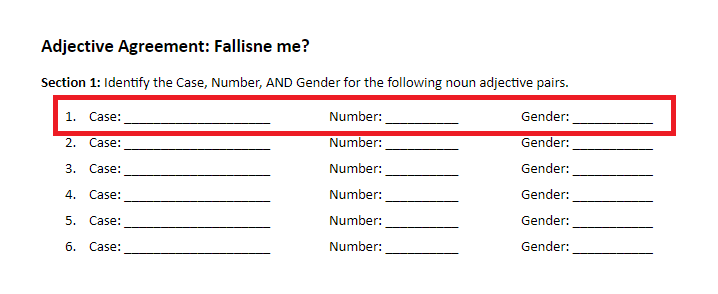
- Identifying features of words (for example Case, Number and Gender for nouns)

I try to do multiple question types during each game to hit on a couple different topics.

For lower level classes, I like to give students a worksheet to complete the questions/activities. This way students are responsible for paying attention even if they're not actively participating to the game.

How to Play:
As I go through how to play this game, I will be using this Latin Adjective Review. It's designed for a Level 1 Latin class that is learning Adjective/Noun Agreement for 1st and 2nd Declension Nouns. I use this worksheet to go along with the game.

1. Divide the class into 2-3 teams (depending on the size).  Each team will be gaining or losing points together, but students are responsible for their own answers.

2. Each question will be presented one at a time. The entire class will get to see the question, but only one team at a time will get a chance to answer.

Present the first time with their first question.


Even though only the first team will get a chance to answer this questions for points, all students should write down their answer on their worksheets. Students are not allowed to use their notes or talk to each other - this part is an individual practice of the skills in this unit.

After giving students time to respond to the question, it's time to reveal the answer...

3. The next part is ONLY directed at the first team. Tell students that if they think they know the answer, they should stand up. Students aren't allowed to discuss with their group members a plan, they either stand up or they stay seated. If they stand up, though, they might be required to give their answer to the class. Write down the number of students who are standing on the board.
Tell the students who are standing that they should NOT call out an answer unless YOU ask them to.

4. This part is ONLY directed at the NEXT team. Ask these students to pick one of the students who is standing to answer. They can discuss with their group who they want to answer. When they've made their final decision, they tell you and then YOU ask that that student to reveal their answer.
If students who are standing call out an answer before YOU ask them to, that's an automatic wrong answer. Make sure you emphasize this to students beforehand.

5. The student reveals their answer, then you put the correct answer on the board for everyone to see.


If their answer is correct, their team gains points for each person who stood up. If their answer is incorrect, their team loses those points. So if seven students stood up, the team would gain seven points for a correct answer and lose seven points for an incorrect answer.

6. Move on to the next team. The process repeats with a new question for the next team. Cycle through all the teams until you're out of questions (though make sure each team gets the same number of questions). Keep track of the points on the board.

7. Strategy: It's called the Bluffing Game for a reason - students don't actually need to know the correct answer to help their team gain points. If they stand up confidently, they're less likely to get picked. If they hesitate and make a show of being uncertain, it might increase their chances of being called to answer. Let students know this as you go through more rounds. It adds an extra bit of fun for students :)

8. At the end of the game, I like to include a bonus round. This is usually a short translation. Students wager the points they have - if they get the sentence completely correct, they'll get that many points, but if there's even one error, they'll lose that many points. Students need to wager before they get to see the sentence.

Note: For teams that are in the negatives, tell them you'll boost them to +5 points if they get it right (or some other positive number, just so they're still in the game). 

Once wagers are in, show the class the sentence. At this point, students are allowed to work with their group and use their notes. They only need to submit one answer per team. 

9. Once all the teams have submitted their sentence, reveal how each team did and determine the winner.

Hopefully this is a game your students will enjoy playing - I know mine tend to get pretty competitive with it! Let me know if you have any questions or if you try it out and have recommendations for tweaks!

- Frau Leonard

Tuesday, October 6, 2015

Animal Cracker Review Box

This is a cute review activity I learned a few years ago from another World Language Teacher.  It's a great tool for review stations, especially before a large test that involves multiple choice questions.

Here's what you'll need:

  • Animal Cracker Box(es)
  • Golf Tee(s)
  • Flashcards
  • One-hole punch


Set-Up: 
1. Cut up an animal cracker box.  You might be thinking, "Why an animal cracker box?"  Well, it turns out they're the perfect size for flashcards to fit in!  You'll need to cut the front off as shown below.  

2. Create question cards.  You'll need one flashcard per question.  Questions go on the top of the card, answers right below.  Each question needs to be multiple choice and you'll need three possible answers.  Make sure everything on the card is visible when it's been placed inside the box.

3. Punch holes.  Punch 3 holes on the bottom of the box (as you may have noticed in the pictures above) and on the bottom of each card.  For the cards, you'll need one hole below each answer.  Make sure the holes on the cards line up with the holes in the box.

4. Mark correct answers.  Cut out the bottom of the holes below the correct answers on each card, as below.

5. Put it all together!  Put the finished cards int he box.  To practice, students put their golf tee in the hole under whatever they think the right answer is.  Once they've put the golf tee in, they try to (gently!) pull up that card.  If it comes up, they got it right!  If it doesn't, they got it wrong and need to try again.


This is a good review activity since it requires minimal effort from you when students are doing it.  Once they know the process, they can go through cards at their own speed and get instant feedback about how they're doing.  Students love using it, too!  The only downside is how time intensive it is to make the cards - I usually get my student aides to go through the process of actually getting the cards ready, and then I can put the questions and answers on.  

- Frau Leonard

Wednesday, February 4, 2015

BINGO as a Review Game

As often as possible, I like to incorporate games into our daily activities.  If I can trick the kids into being engaged in what we're doing, I'm all for it.  An all time favorite game of mine is Bingo.  Find Someone Who / Person Bingo is an activity we'll do throughout the year, but it's not really my favorite version of the game.  

Background: Find Someone Who
This is a get to know you ice breaker type activity that's usually done at the beginning of the school year.  Students have a bingo grid with a variety of phrases like, "has long brown hair," "has two cats," "can name three NFL teams."  Students have to go around the room and find other students who fit these descriptions.  At the end, you play bingo with the grid - use cards or a name generator to randomly call student names.  Students try to get 4 or 5 in a row (depending on the grid size) using the names that are called.

I do these throughout the year as we get new vocab.  For example: if we're learning about chores, they boxes will have phrases like: "Cooks for his/her family;" "Makes his/her bed in the morning;" and "Walks the dog."


A Different Variation
During a PD Workshop a few years ago, a colleague introduced a variation to Bingo that I've really liked using.  In this version (very much like Find Someone Who), students play bingo at the end once they've done all the prep work.  The main difference is the prep work requires them to show that they know something about the topic at hand.

The first part is basically a quiz.  You have a variety of questions - multiple choice, short answer, verb conjugation, etc. - related to your topic.  As a class, you go through the questions one by one.  Students answer the questions on their sheet, but don't work together.  I usually let students use their notes, but it depends on the activity.  

Here's what a student worksheet would look like:
Bingo board up top, room for answers below
Questions could be anything from trivia questions to coming up with a word based on a definition/description to conjugating verbs.  Here's an example from a Latin cultural one we did based on slavery in Ancient Rome:


After students write their answers to each question, they trade papers with a partner.  Go over the answers as a class.  I usually only have students identify if the response is correct or incorrect - since we often do multiple choice questions or the prompt is no longer there, it doesn't make a lot of sense to write out the correct answer. 

Now students get to set up their bingo board.  I usually do a 4 x 4 grid.  Students aren't guaranteed to be able to use the whole grid, though.  Students have to earn each square that they use.  That means for their 16 boxes, they needed to get 16 correct answers in the prep activity.  

I always include more than 16 questions - usually in the range of 20-25.  This gives students a lot of wiggle room to get as close to 16 as possible.  I also give students a minimum of 5 boxes (for students who got less than six correct).  

You'll have to walk students through setting up their game board:

1. Ask students who got 16+ correct answers to raise their hand.  Congratulate them and tell them they can skip the next step (skip directions for step 2, they start again at step 3).

2. Tell students to take the number 16 and to subtract from it the number they got correct.  I always model with the number 12.  16 - 12 = 4.  That means I have to cross out 4 bingo squares on my board - I won't be able to use those during the bingo game.  I have a sample bingo board on display and go through the process of actually crossing out four boxes. 

Example of a board once I've blocked out four squares:


Notice this is a TERRIBLE board set up - there's only one place I can even win!  I point this out to students so that they'll think strategically - they need 4 in a row to win, so they should make sure to leave themselves as many ways as possible to win.

3. Students now fill out the numbers 1-4 in each COLUMN.  They can put the number in any order they want, but they can't repeat a number within the COLUMN.  I go through this with my sample board, putting the numbers 1-4 in a random order for the first column.  I point out that I've crossed out some boxes, so in those columns I won't be able to put in all four numbers - as I fill in those columns, I'll point out that in one column I left out a 2 or in another I left out a 1 and a 4.


4. Students now get to play bingo.  Call out squares by letter and number (R1).  Students need four in a row to win (I do vertical, horizontal, diagonal, four corners, and postage stamp).  We usually do two rounds or until there's about 3-8 winners (depending on class size).

I've found this way of playing bingo works pretty well.  Students are getting to play a game, but they're also practicing a skill or topic.  They're earning better board set-up through their work, which I think motivates them a little more than when they're doing the interviews for Find Someone Who.  

- Frau Leonard

Wednesday, July 9, 2014

Differenze Linguistiche: Memes for German Pronunciation

Every year we start German 2 with a review of some of the things we covered in German 1.  Along with some vocab and grammar topics, this includes a short review of pronunciation.  

Last year I found some videos on How German Sounds Compared to Other Languages which I used as an attention grabber when we started this topic.  What I'm hoping to do next year is capitalize on this common meme:
I found a couple examples to show students (look for ones like "ich liebe dich," "Aschenputtel," "Staatsangehörigkeit," and "Naturwissenschaften").  I plan to have students create their own.  I made a template for them where they just have to insert the different words.  


If you're interested in a copy, it's available for free on TPT.

Hopefully this will be a fun, beginning of the year activity that not only helps them review German (and maybe learn a few new words!) but also get them to be a little more culturally savvy :)

- Frau Leonard

Tuesday, January 14, 2014

Jenga as a Review Game

Is it terrible that I saw this online and can't remember where I got it from?  If you know someone who has posted this game, let me know so I can link to them!

This is a new game I tried out this week as my students prefer for Midterms.  Basically, this game is Jenga with content questions that students need to answer each time they place a block.  


Materials
Obviously you'll need some Jenga sets.  I purchased six sets with the idea that groups of 3-6 could play (covering up to 36 students).  I shopped around and found out that buying six sets of Jenga was actually somewhat expensive...  But then I found Pavilion Jumbling Towers at Toys R Us.  They're about half the cost of actual Jenga sets, though they don't actually line up correctly.  Even so, they work well enough for what I need (and were even on sale when I happened to get them!).
They don't quite line up....
After you get the Jenga sets, you'll need to mark each piece with a number.  I gave each block a different number (1-48).  I had toyed around with the idea of repeating numbers because I was worried about having to come up with 48 questions.  Once I actually started writing questions, however, it ended up not being a problem (especially for midterm review - there are SO many topics to cover that they each only ended up getting about four questions).  

Number on one side, color coded on the other
I also color coded my sets.  On one side there's the number and on the other it's colored in.  I thought I might need to be able to keep sets separate in case they got mixed up.  This extra step was actually the most time consuming, but I think it'll be helpful in the long run.  


Game Set Up
I'm not going to lie - this takes time to set up.  You'll need 48 different questions... AND the answers.  I typed up all the questions and answers and printed them out (front and back).  This takes 3 sheets of paper per set.


I folded each paper in half and cut along the question side.  This way students could fold up the sheet to see the answers... but only to whichever question they were answering.


I was extremely thankful for having two student aides to help cut these out.  I might even go so far as to use card stock and laminate these before cutting them out next time - I did re-collect them and will store them for next year's midterms just to avoid setting them up again.

I also recommend using different colors if you have multiple class sets - there's a lot of paper (3 pages per set, up to 6 sets per class, and for me 5 different subjects) and it's just an easy way to keep it all organized.


Game Play
Basically students pull a block of their choice and answer the corresponding question.  If, for example, I pull out the block labeled 6, I then must answer question 6.  


Students use their score sheet to keep track of group points.  They get points for removing and placing blocks without knocking over the tower.  They also get points for answering the questions correctly, but lose points if they knock over the tower.  This makes it fun even for students who may not be able to get as many questions right - they can earn points no matter what!


There are actual rules for Jenga (such as only using one hand, not taking blocks from the top three rows, etc) that might need to be explained.  Most groups seemed to have someone who knew how to play and would enforce these rules - for the other groups I would just explain them as needed.


Reflection
All of my classes, from my 33 students in Latin 1 to my AP German students, played this game this week.  While I like this game as a review activity, there are definitely some things to keep in mind for next time. 

Some students are more interested in playing Jenga and not in reviewing.  Some of them even tried just building random structures.  This was more true for the larger, lower level classes - it only happened in Latin 1 and German 1.  I had given the classes a lot of time to play, but I think to eliminate this problem it should be limited to 15-20 minutes for these classes.  My upper level students, however, played for 50 minutes and were able to balance playing Jenga and answering questions.  

I had a few students - actually, just one - who was unable to play at all.  He for some reason compulsively just knocked over the whole thing when it was his turn.  There were other students who  Somewhat surprising since these are High School students, but oh well.  In the future I think I'll need an alternative activity ready for students who - for whatever reason - can't handle this activity.

Overall it was a lot of fun and gave me a chance to step back and support them as opposed to lead them in an activity.  It still needs some tweaking to get the activity where I want it to be.

If you're interested in any of the materials I used to play these games, they're available for free on my TPT account - just click here.  

- Frau Leonard